Compose to Kubernetes with Podman Kube Play
You do not need a full rewrite to start moving from Compose to Kubernetes.
This tutorial uses the existing guestbook-compose sample from podman-desktop-demo and walks through a practical migration flow:
- Run the app with Compose.
- Convert
compose.yamlto Kubernetes YAML withkompose. - Run the generated manifests locally with
podman kube play.
Why this migration path
- Keep your current Compose workflow while adopting Kubernetes step by step.
- Validate generated manifests locally before touching a real cluster.
- Catch gaps early and reduce production migration risk.
Prerequisites
- Podman Desktop: Download Podman Desktop
- Podman CLI (
podman) available. If you installed Podman through Podman Desktop onboarding, it is already included (check withpodman --version). - Kompose: kompose.io
On macOS or Windows, ensure your Podman machine is running in Settings > Resources.
Why this tutorial starts with podman kube play
This guide uses podman kube play as a local pre-validation step. The goal is to quickly check that generated manifests are runnable before investing time in full cluster setup.
This step does not replace validation on a real Kubernetes engine. After local validation, you may run the same manifests on microshift, minikube, or kind to confirm real cluster behavior.
Step 1: run the existing Compose app
Clone the demo repository and open the existing sample:
$ git clone https://github.com/redhat-developer/podman-desktop-demo.git
$ cd podman-desktop-demo/guestbook-compose
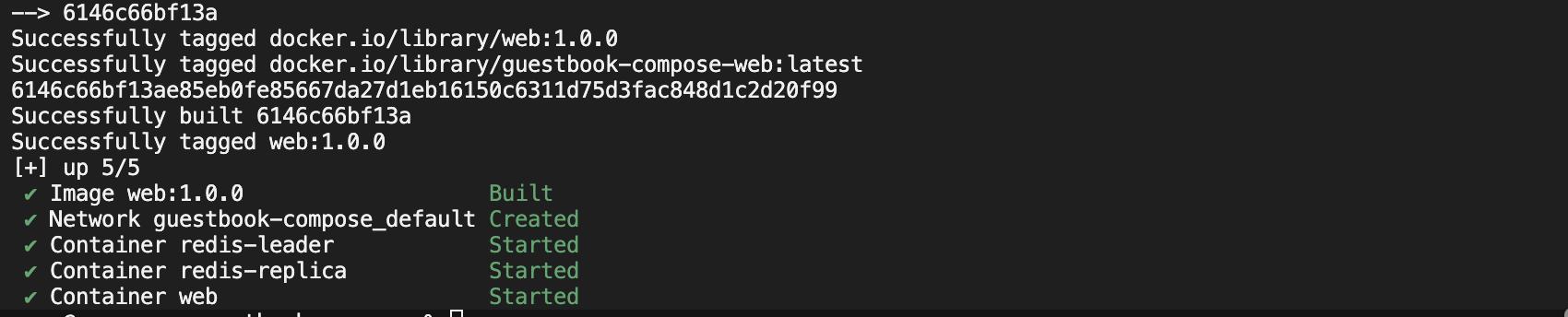
Start the stack (recommended in foreground for easier debugging):
$ podman compose -f compose.yaml up --build
Keep this terminal open. Run the next commands from a second terminal.
If you prefer detached mode, use:
$ podman compose -f compose.yaml up -d --build
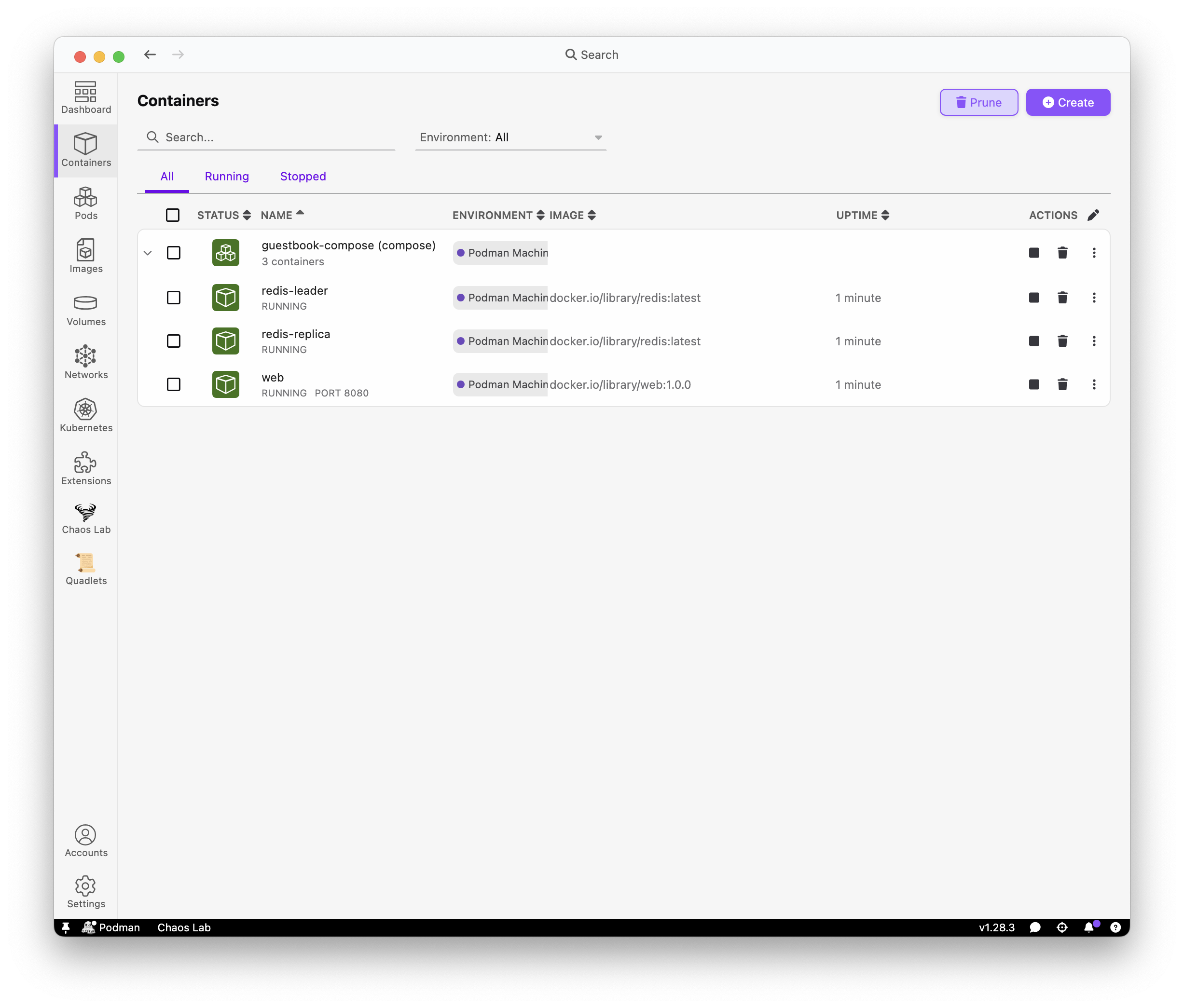
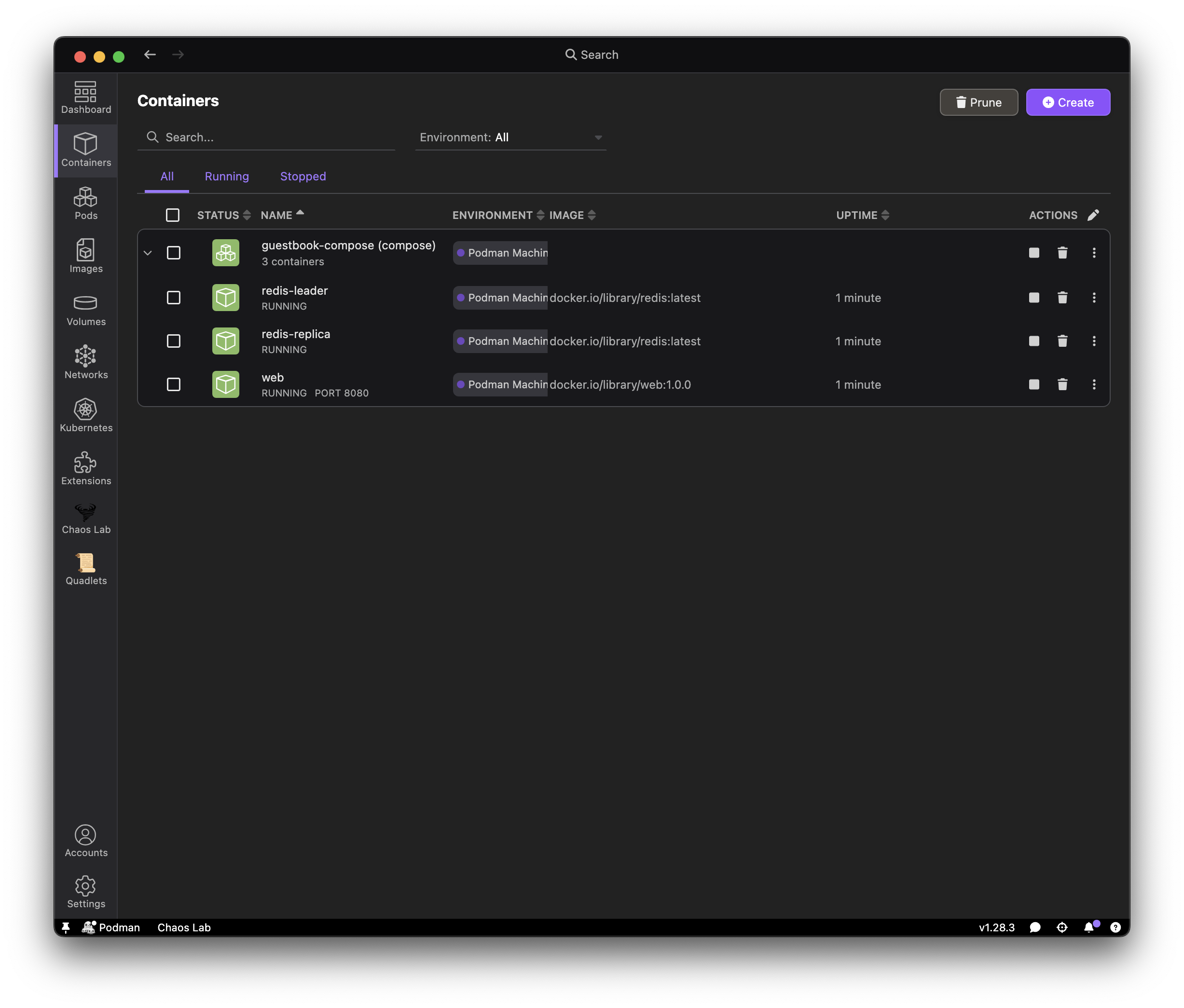
Open the guestbook UI:

Step 2: convert Compose to Kubernetes YAML
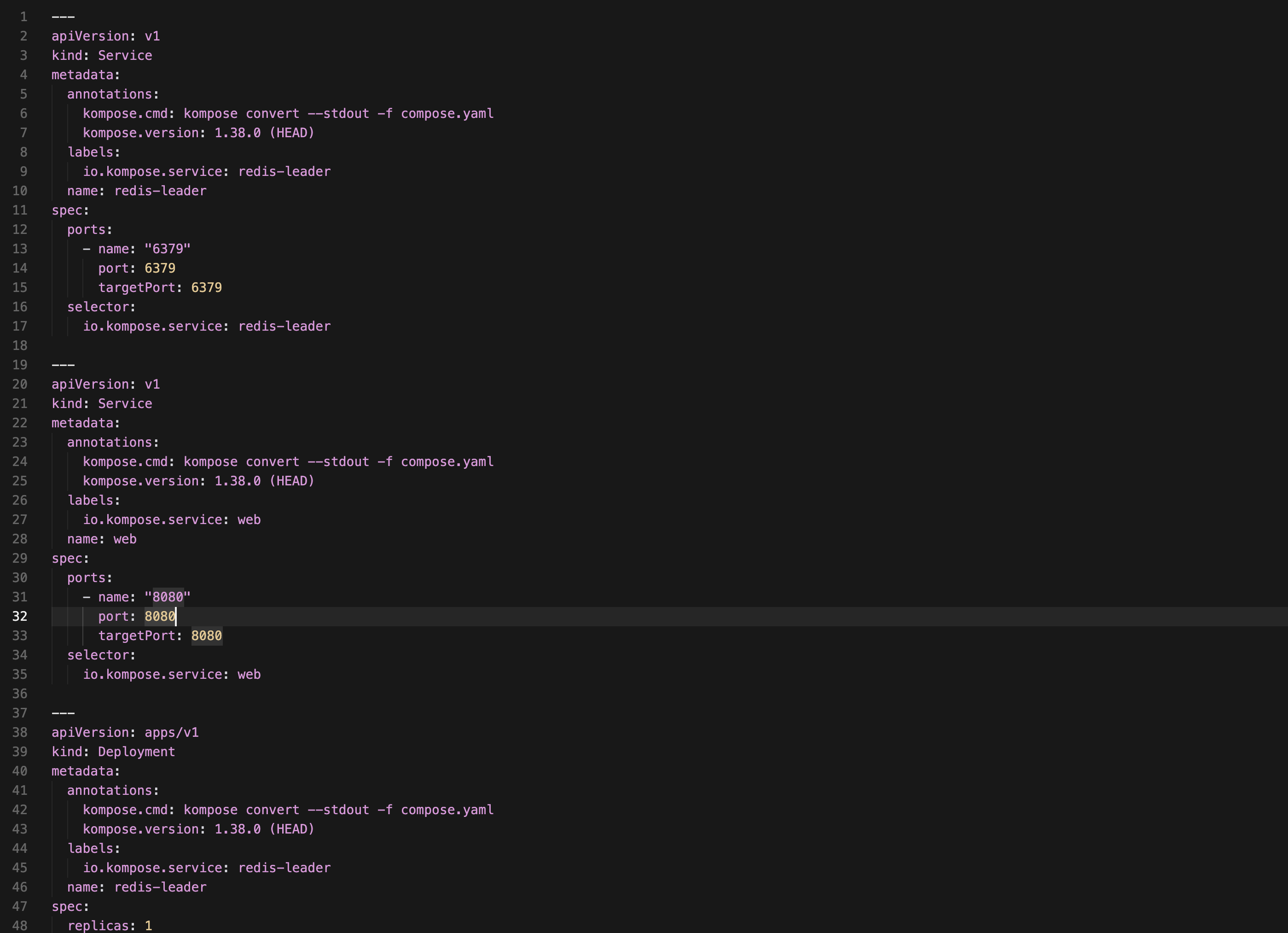
Generate Kubernetes manifests from the Compose file:
$ kompose convert --stdout -f compose.yaml > guestbook-kube.yaml
This conversion is file-based and works even if Podman pods are not present.
You may see this warning during conversion:
WARN Service "redis-replica" won't be created because 'ports' is not specified
This is expected for this sample. redis-replica is internal-only, so it does not publish host ports. Kompose can still generate the workload resources needed for local validation with podman kube play.
Step 3: run Kubernetes YAML locally
Stop Compose first:
If you started Compose in foreground mode, press Ctrl-C in the first terminal.
If you started Compose in detached mode, run:
$ podman compose -f compose.yaml down
Run the generated YAML:
$ podman kube play --replace --publish-all guestbook-kube.yaml
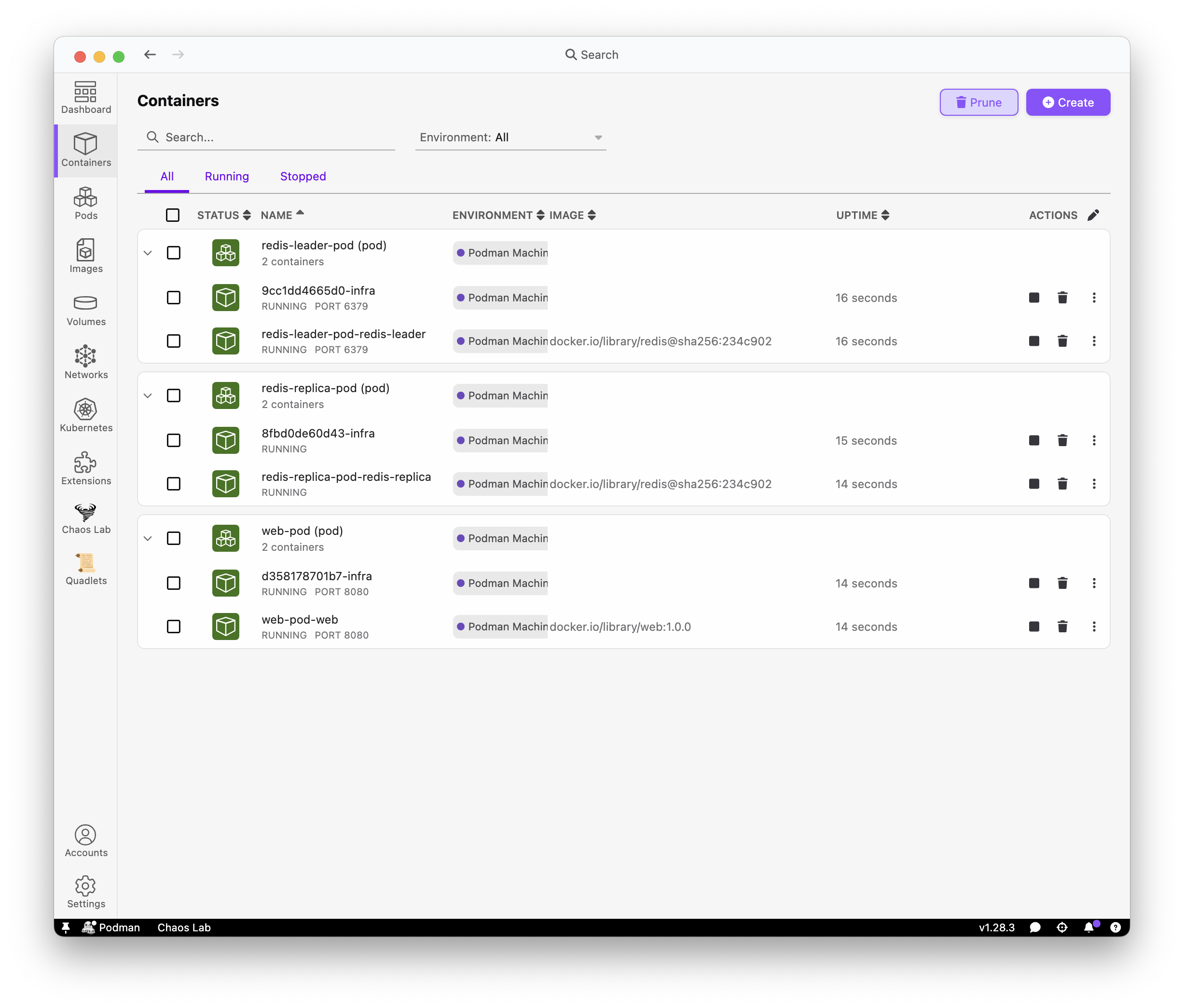
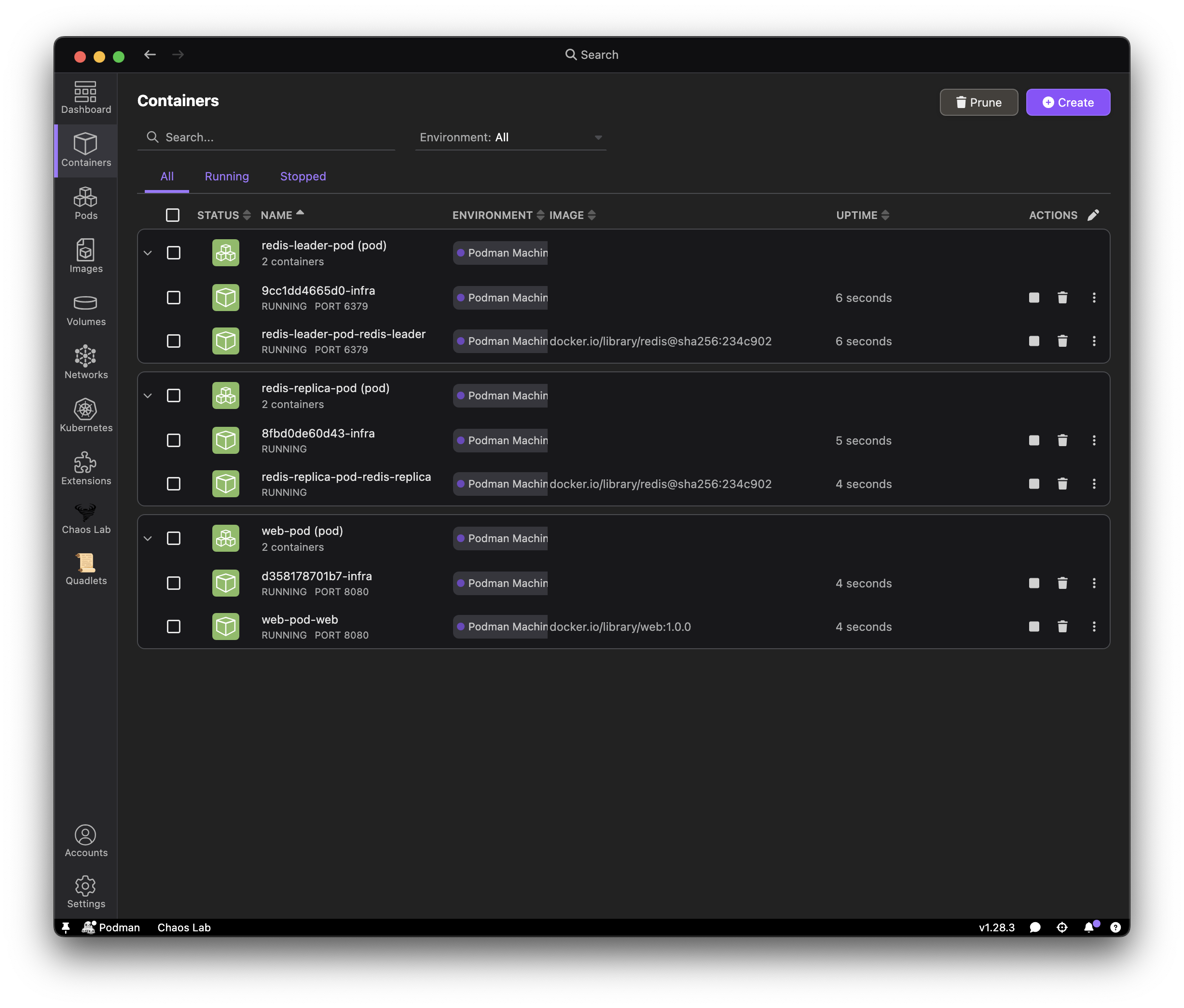
At this point, you crossed the first Kubernetes boundary:
- Your app is no longer started from Compose
- Your app is now started from Kubernetes manifests
- Podman executes those manifests locally so you can validate behavior
Verify the app:
Step 4: before using a real cluster
This sample validates migration flow, not production readiness.
Before production:
- Replace demo settings and credentials
- Add readiness/liveness probes and resource requests/limits
- Add ingress/TLS and storage policies
- Add CI checks and image/dependency scanning
What Kompose migration covers and what it does not
What Kompose generally covers well:
- Basic service definitions and container images
- Environment variables
- Simple port mappings
- Straightforward volume mappings
What typically needs manual follow-up:
- Ingress and external exposure strategy
- Probe tuning and resource requests/limits
- Storage classes and cluster-specific persistence behavior
- RBAC, security policies, and network policies
- Advanced scheduling and autoscaling
What kube play validates vs a real Kubernetes engine
What podman kube play validates in this tutorial:
- Generated manifests are runnable locally
- Basic container wiring and service reachability
- Fast local smoke checks for migration flow
What a real Kubernetes engine additionally validates:
- Scheduler and full cluster networking behavior
- Ingress/controller integration
- Production auth, RBAC, and policy enforcement
- Distro/cloud-specific operational behavior
Cleanup
$ podman compose -f compose.yaml down -v
$ podman kube down guestbook-kube.yaml
Troubleshooting
- Port already in use (
8080): stop conflicting containers, then rerun. - Local image pull error for
web: ensure Compose build completed beforekube play. komposenot found: install from kompose.io.kube playissues after retries: runpodman kube down guestbook-kube.yamland retry.