Kubernetes Extension Pack release for Podman Desktop

Kubernetes Extension Pack for Podman Desktop Release! 🎉
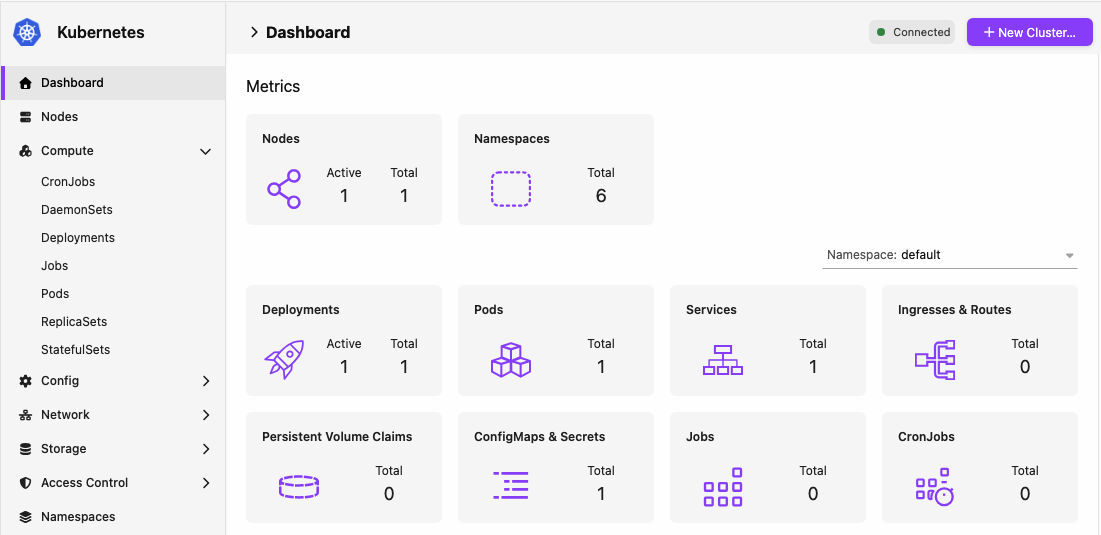
This Kubernetes Extension Pack release includes Kubernetes Dashboard v0.6.0, Kubernetes Contexts v0.3.0, and Kreate v0.4.0.
The new releases have been added to the catalog. If automatic extension updates are enabled (the default), Podman Desktop updates already installed extensions automatically. If you have not installed the extensions, open the Extensions > Catalog page, search for the Kubernetes Extension Pack or for Kubernetes Dashboard, Kubernetes Contexts, and Kreate, and install them.
Podman Desktop is moving Kubernetes dashboard and context management from core into extensions so they can evolve and release independently of the desktop app. The Kubernetes Extension Pack remains available in Podman Desktop's catalog, making the full set easy to install while letting you choose individual extensions. The Kubernetes Dashboard extension also exposes Kubernetes resource data through an API that other extensions can use.
Installing either Kubernetes Dashboard or Kubernetes Contexts disables the corresponding feature in core. The built-in features will not evolve and will be removed in a future release, so we recommend switching to the extensions for new features.
These extensions now include:
- Apply YAML: Apply Kubernetes YAML from a dedicated page in Kubernetes Dashboard.
- Container logs: View logs of terminated containers, unfollow the log stream, and see the configured tail line count in the terminal.
- Deployment scaling: Scale Deployments directly from the UI.
- Resource tables and details: Choose visible columns on all resource tables, see more information on the pod page, and view Internal IP on the nodes list.
- Collapsible navigation: Sidebar grouped into collapsible sections with icons, including a new Access Control section.
- New resource views: DaemonSets, StatefulSets, ReplicaSets, PersistentVolumes, StorageClasses, ServiceAccounts, Roles, RoleBindings, ClusterRoles, ClusterRoleBindings, Endpoints, EndpointSlices, NetworkPolicies, IngressClasses, HTTPRoutes, Gateways, GatewayClasses, ResourceQuotas, LimitRanges, PodDisruptionBudgets, PriorityClasses, RuntimeClasses, Leases, HorizontalPodAutoscalers, MutatingWebhookConfigurations, and ValidatingWebhookConfigurations.
- Lazy resource loading: Resources are watched on demand as you navigate.
- Extension API: Other extensions can access Kubernetes resource data, and data from the Discovery API.
- Context deletion confirmation: Kubernetes Contexts now always asks for confirmation before deleting a context.
- Kreate: Create namespaces, Jobs, and CronJobs, and select any Kubernetes resource type based on the Discovery API.
Release details
Apply YAML
Kubernetes Dashboard now includes a dedicated Apply YAML page. Open it from the Apply YAML button on resource list pages to apply manifests to your cluster without leaving Podman Desktop.
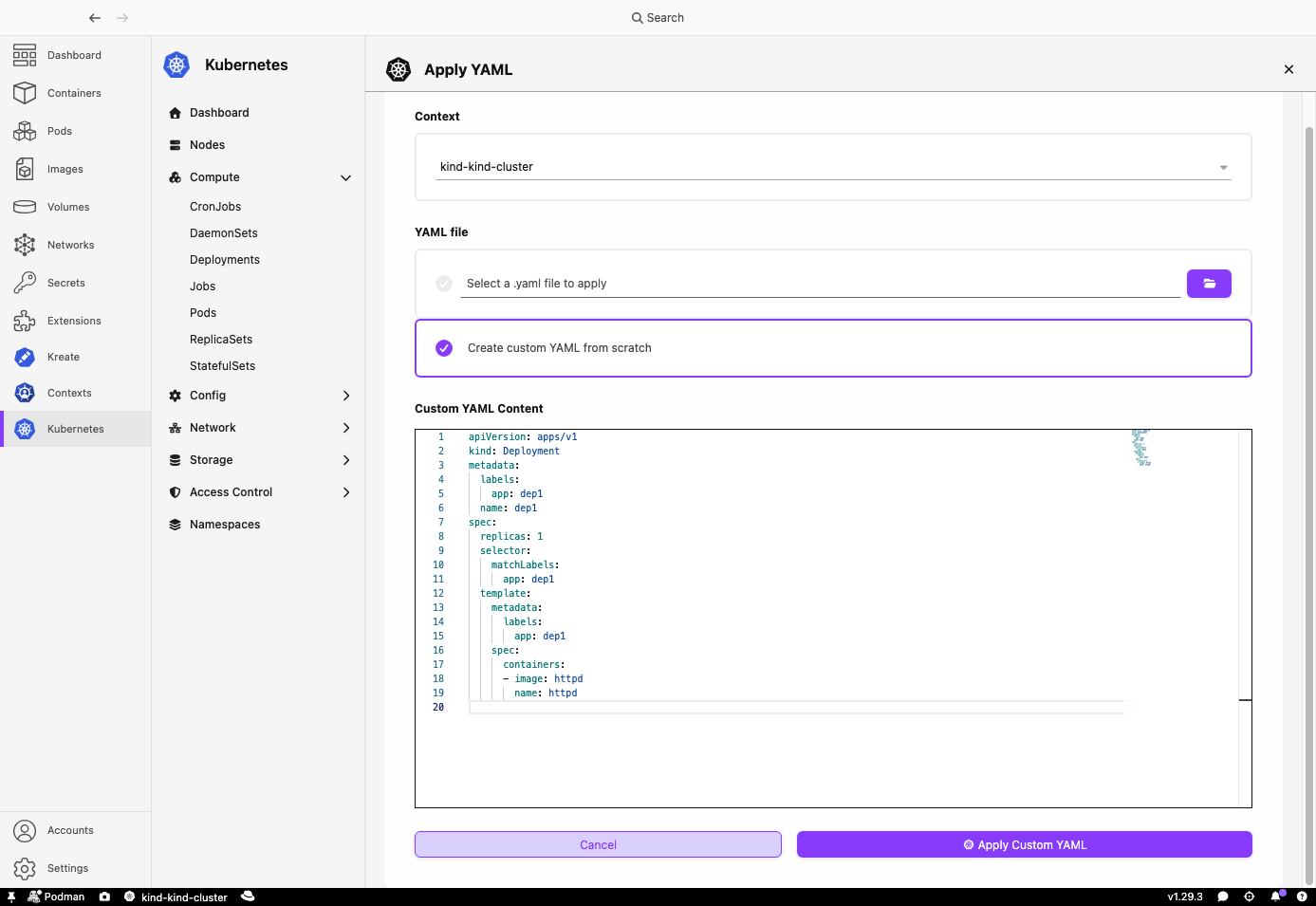
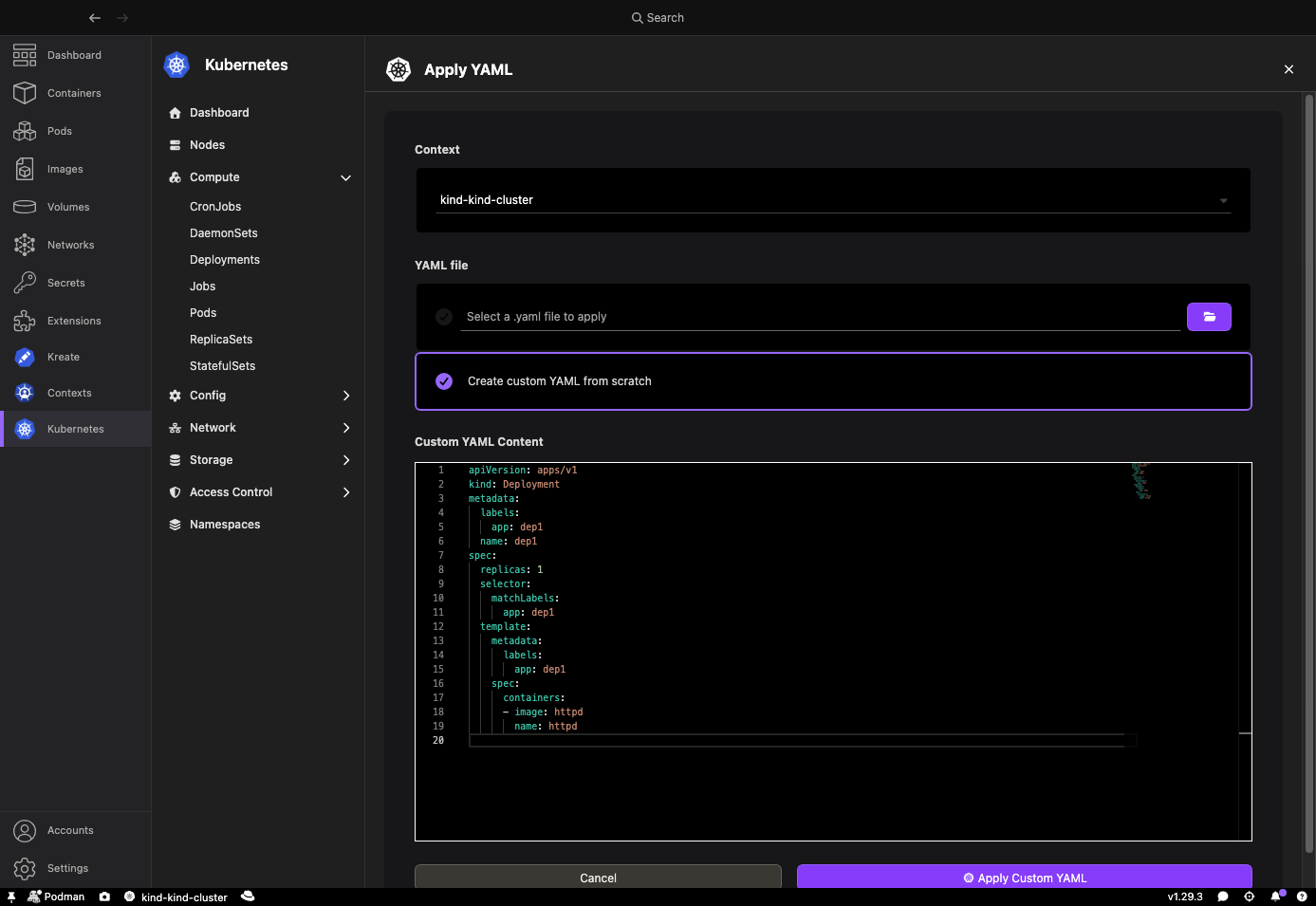
You can apply YAML in two ways:
select a .yaml or .yml file from disk,
or write custom YAML from scratch in the built-in editor.
Choose the Kubernetes context to apply to,
then run the apply action.
The dashboard creates new resources on the cluster.
If an existing resource uses a supported built-in Kubernetes API,
it is updated with a strategic merge patch (Content-Type: application/strategic-merge-patch+json).
That patch type is not supported for CustomResourceDefinition APIs,
so existing custom resources are not updated.
When the apply completes, you get a summary of how many resources were applied and of which kinds.
You can still patch an existing resource from the YAML tab on its details page, including custom resources the dashboard shows such as Gateways. That path uses a strategic merge patch for built-in APIs and server-side apply for kinds provided by a CustomResourceDefinition, which the API server accepts for those APIs.
Container logs
The Logs tab on a pod details page now makes it easier to inspect container output, including containers that have already stopped.
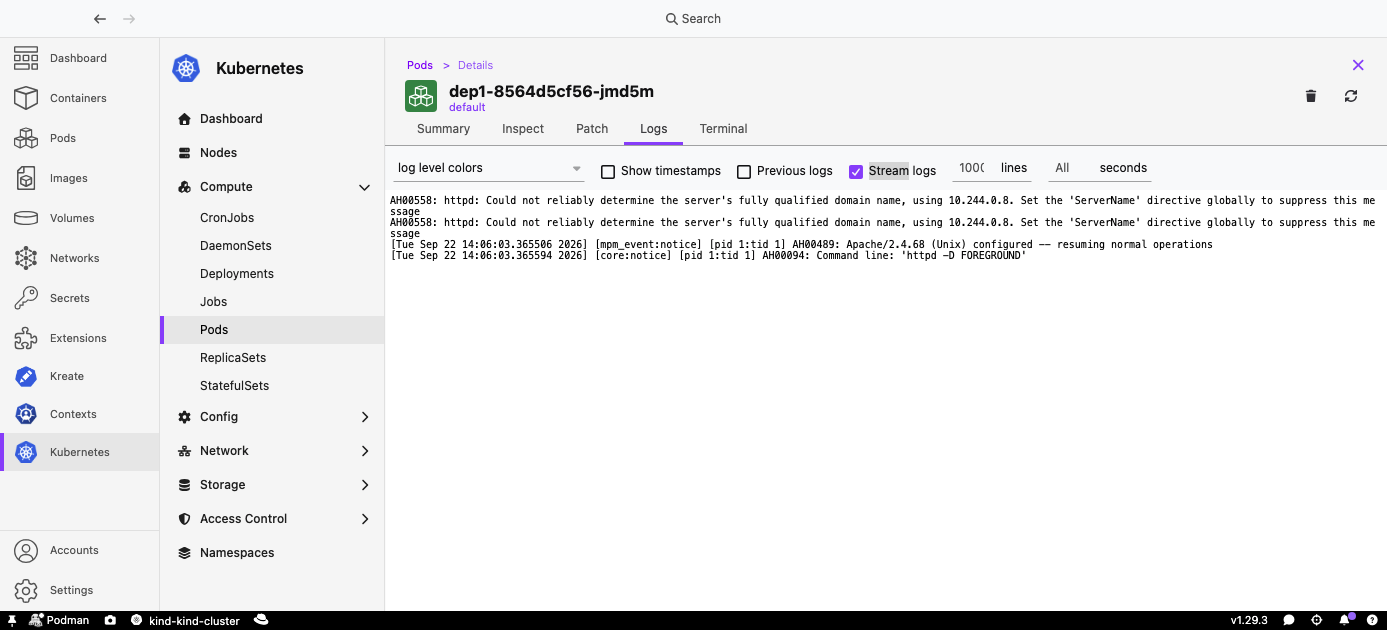
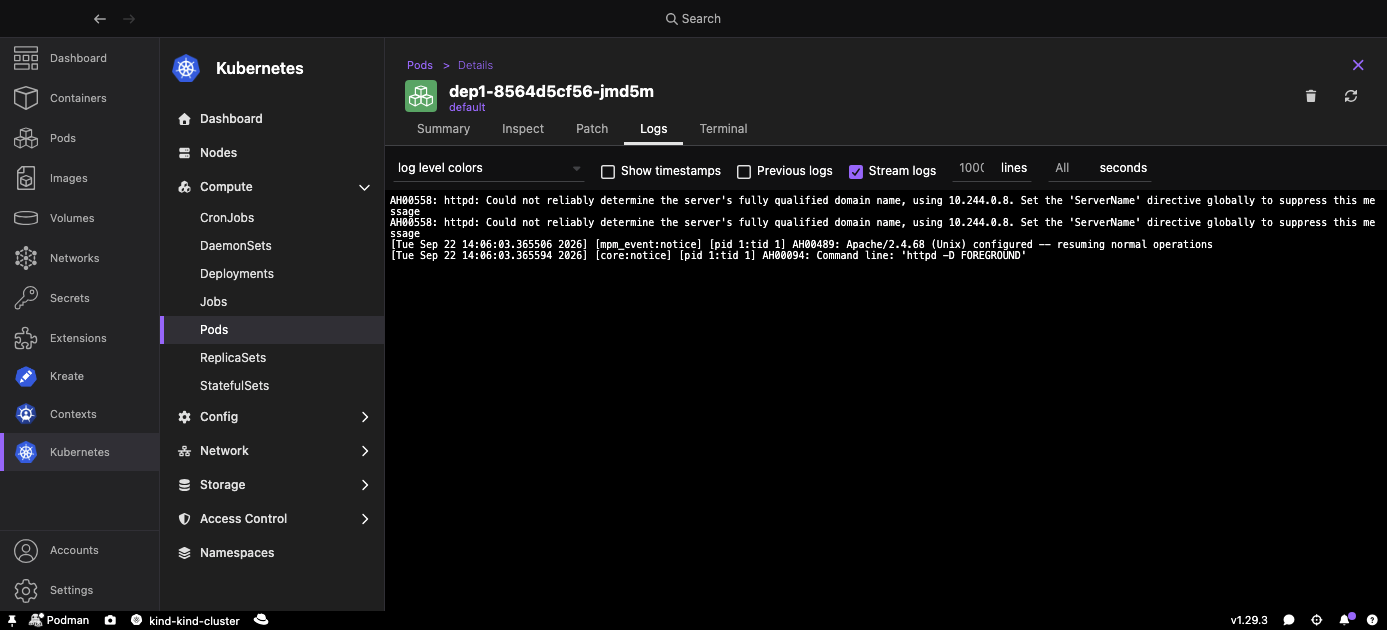
You can open logs for a container that is no longer running. Terminated containers stay in the container list, marked as not running, so you can still read their previous output. Previous logs also works for restarted containers, so you can inspect the output from the previous instance.
Uncheck Stream logs to stop following the live stream and scroll through the captured lines at your own pace. The Stream logs option is only shown for running containers.
The line count you set is passed through to the terminal scrollback, so the terminal keeps the number of lines you requested.
Deployment scaling
You can now scale a Deployment from the Deployments list, without opening kubectl or editing YAML.
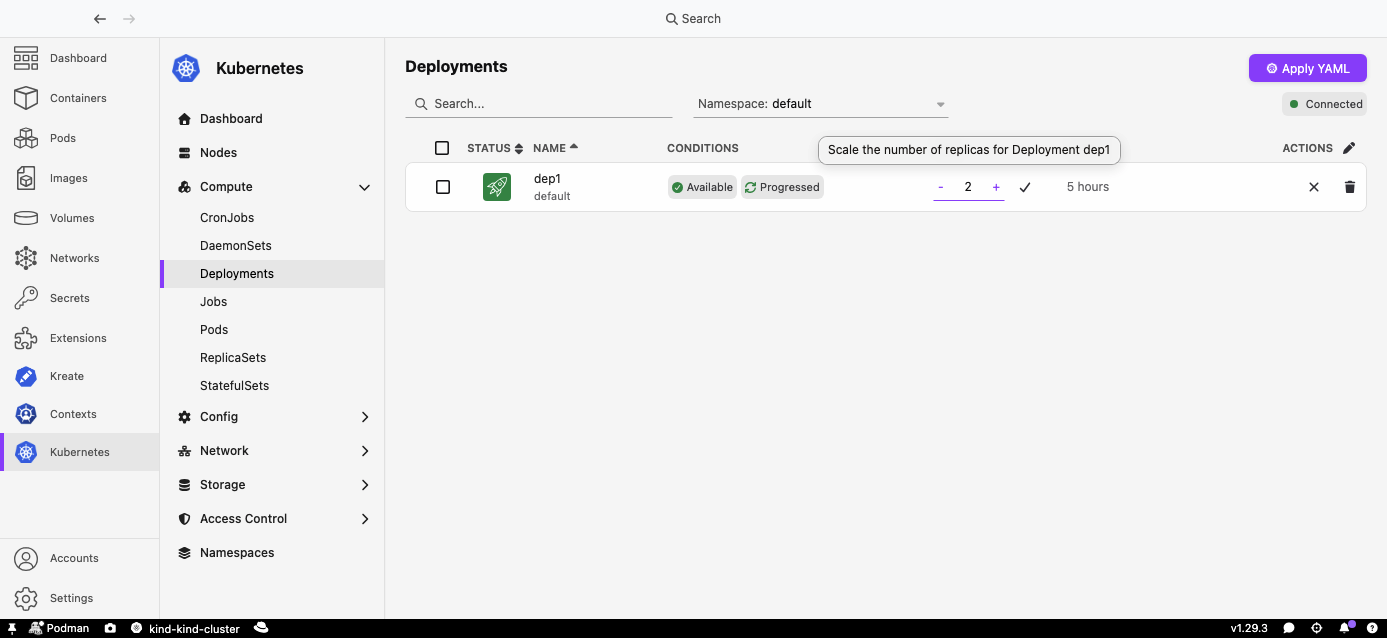
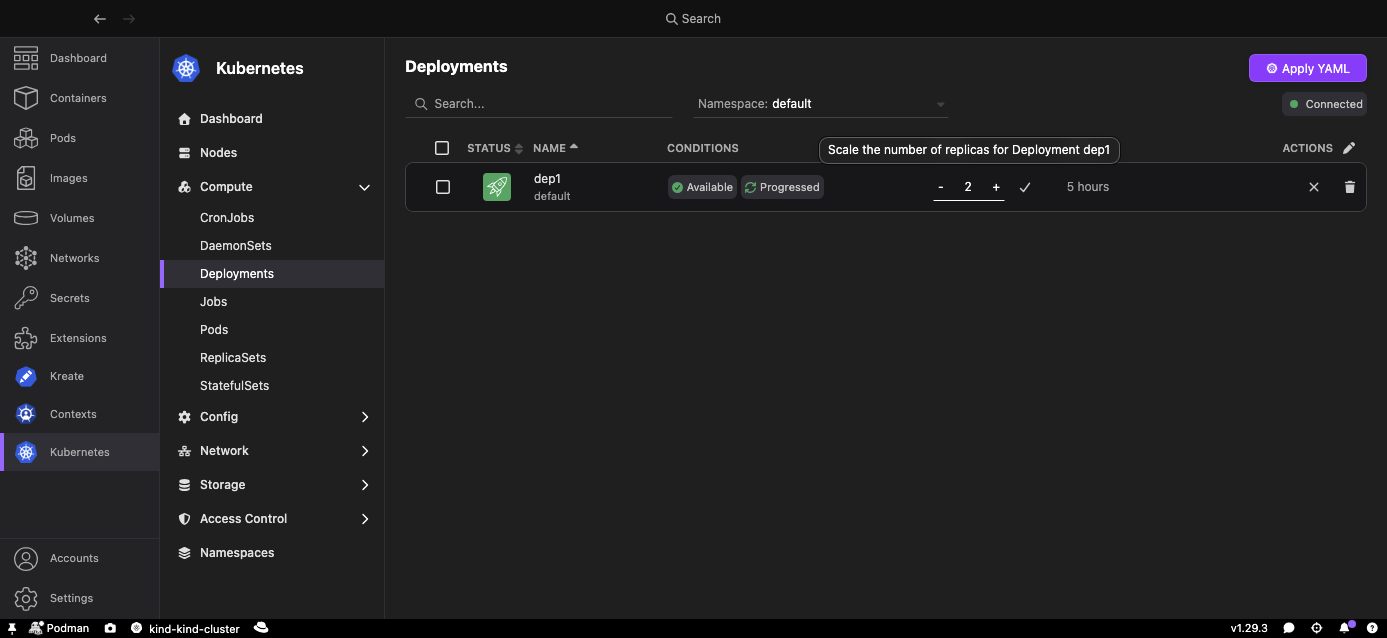
Change the replica count in place on the Deployments list or details page, so you can add capacity or scale down without leaving the overview of status and conditions. The change is applied only after you confirm it.
Scaling updates the Kubernetes Deployment scale subresource.
That matters when your RBAC allows patching deployments/scale
but not the Deployment itself.
Resource tables and details
Resource lists now let you choose which columns to show and in which order, so each table can match the information you actually use.
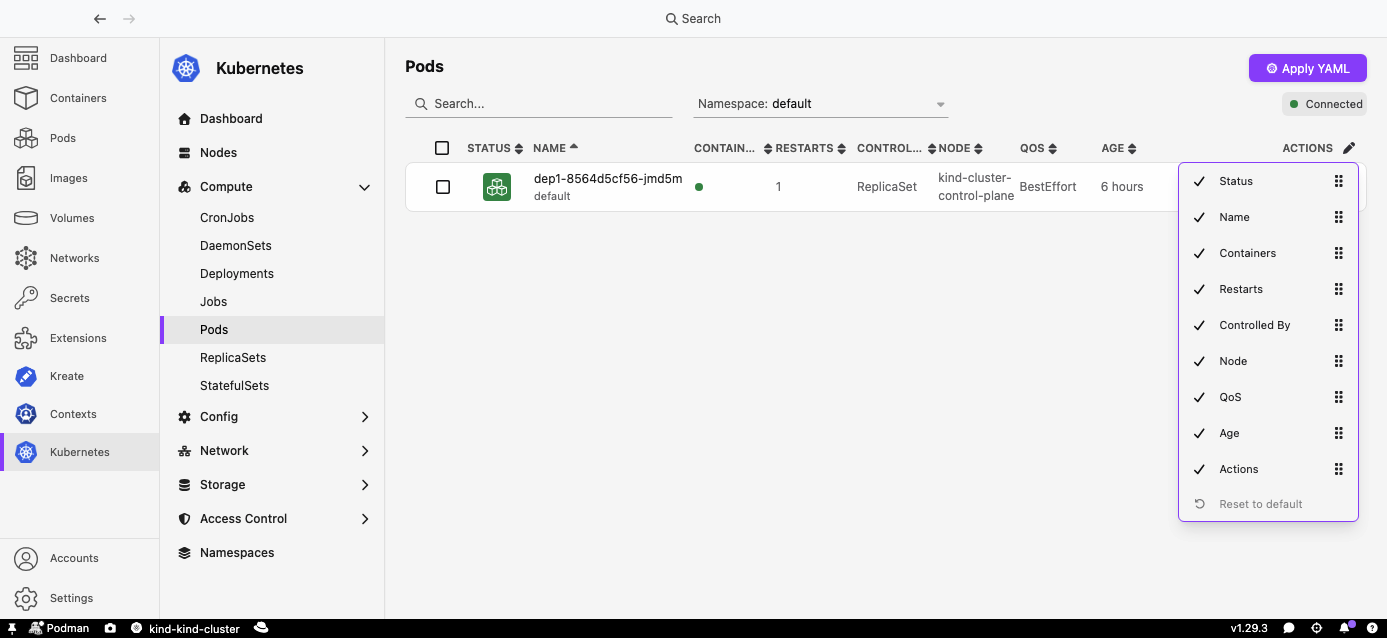
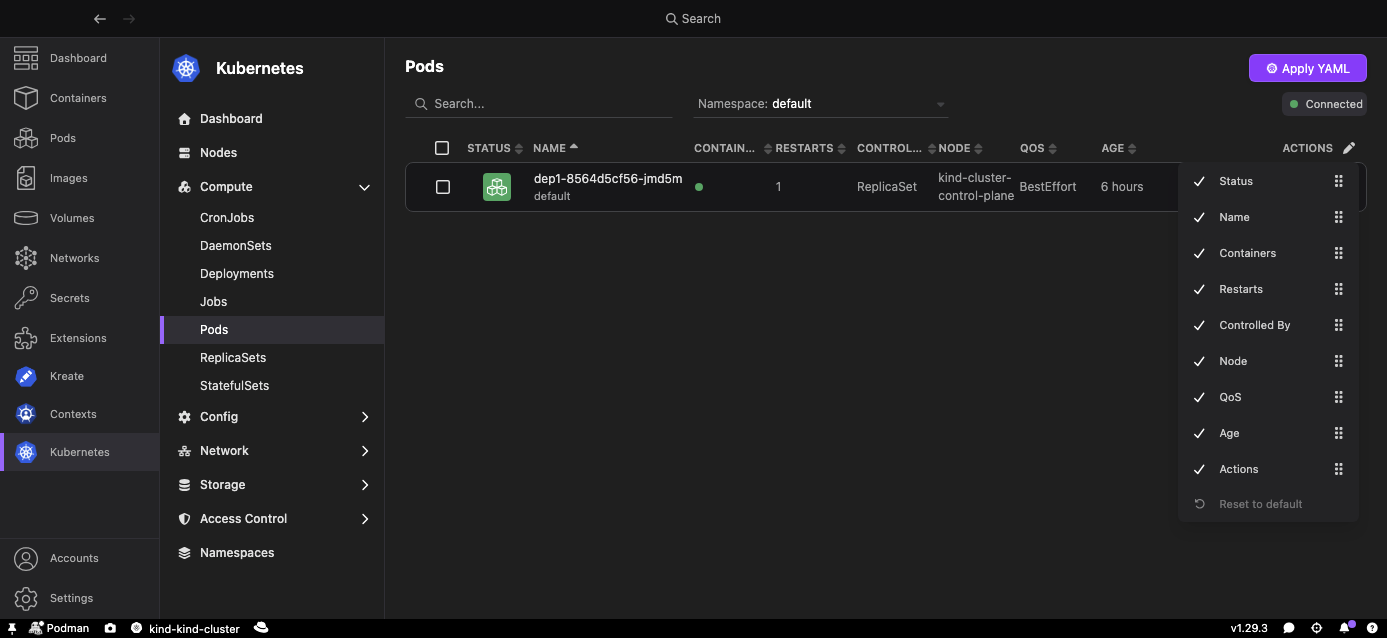
Hide columns you do not need, bring the ones you care about forward, and reset to the default layout when you want a clean slate. This uses the same column editing as other Podman Desktop tables, and it is available on every resource table, not only Pods.
The pod details page also shows more of the workload context, and the Nodes list includes an Internal IP column so you can find a node's cluster address without leaving the dashboard.
Collapsible navigation
The sidebar is grouped into collapsible sections, so the many new resource types stay organized instead of filling a long flat list.
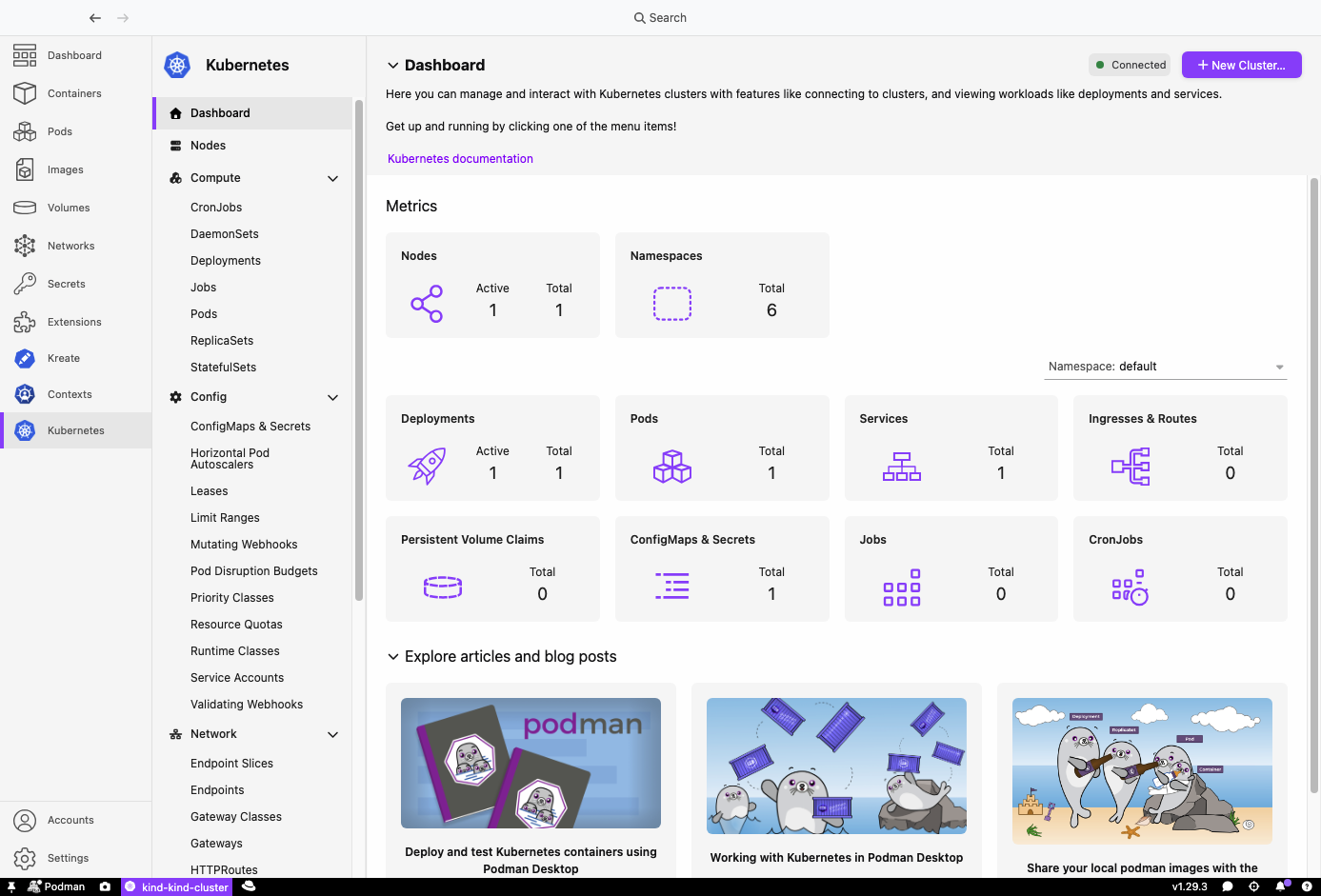
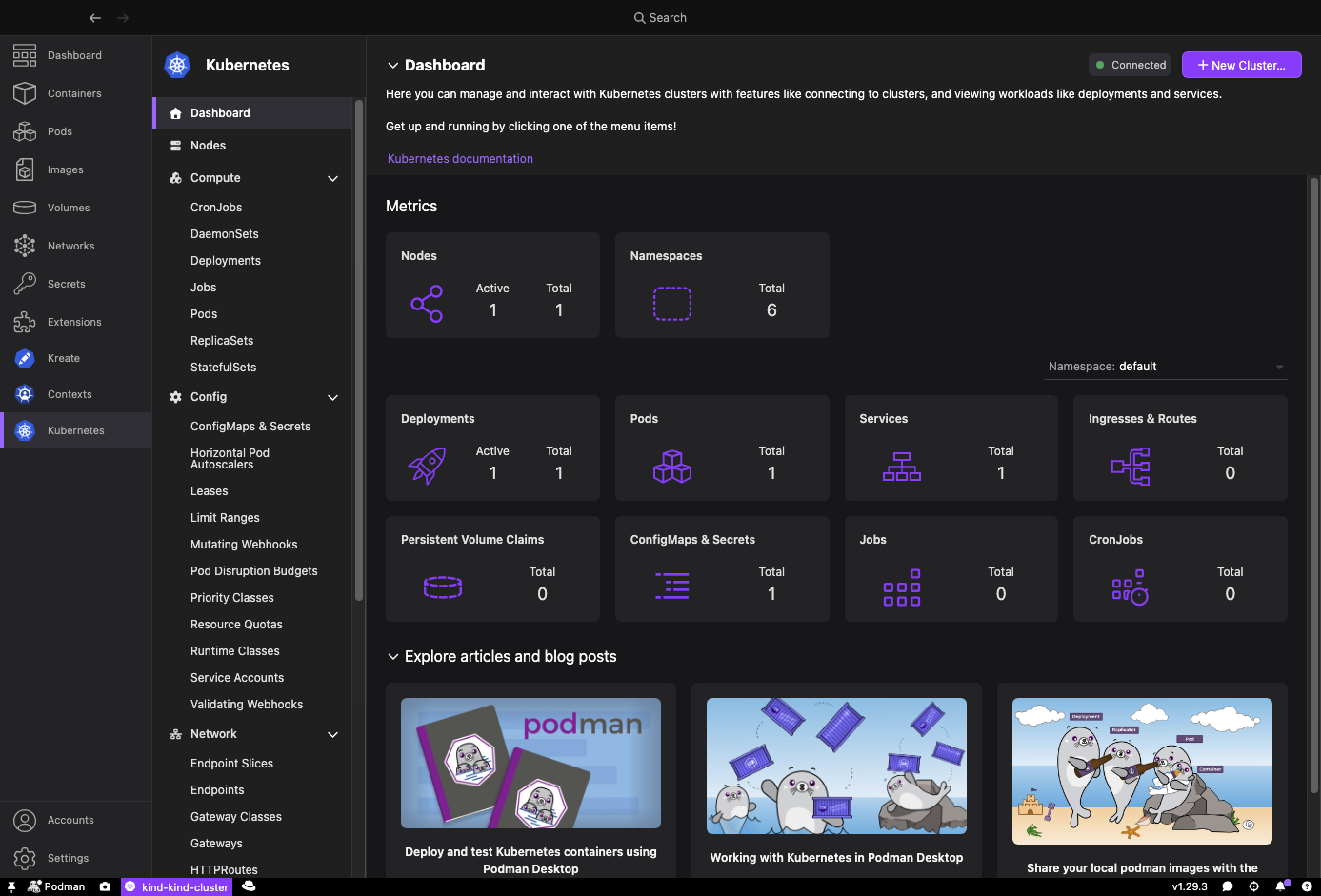
Resources are grouped under Compute, Config, Network, Storage, and a new Access Control section for RBAC. Collapse the areas you are not using to keep the sidebar scannable. The dashboard remembers which sections you left open, and expands a section when you open a resource that belongs to it. For example, opening a Service from the dashboard expands Network even if that section was collapsed.
New resource views
Kubernetes Dashboard now covers many more resource kinds, so you can inspect more of the cluster without switching to kubectl.
Compute: DaemonSets, StatefulSets, and ReplicaSets.
Storage: PersistentVolumes and StorageClasses.
Network: Endpoints, EndpointSlices, NetworkPolicies, IngressClasses, HTTPRoutes, Gateways, and GatewayClasses.
Config: ServiceAccounts, ResourceQuotas, LimitRanges, PodDisruptionBudgets, PriorityClasses, RuntimeClasses, Leases, HorizontalPodAutoscalers, MutatingWebhookConfigurations, and ValidatingWebhookConfigurations.
Access Control: Roles, RoleBindings, ClusterRoles, and ClusterRoleBindings.
Lazy resource loading
The dashboard no longer watches every resource kind as soon as you connect. It starts watching a kind when you open that resource's page.
Common resources such as Pods, Deployments, and Services are still watched immediately, so the dashboard overview can show live counts. The many new kinds, such as Roles, Gateways, StorageClasses, and many more, wait until you visit them. That keeps startup faster and reduces load on the API server.
Extension API
Other Podman Desktop extensions can now use the Kubernetes Dashboard API instead of opening their own connection to the cluster.
They can subscribe to live resource data, context health, and permissions from the dashboard's existing watches. Kubernetes Contexts uses that subscriber for the state of each context, instead of watching the cluster on its own.
They can also call the Kubernetes Discovery API to learn which API groups and kinds are served by the cluster. That is how Kreate can offer any resource type the cluster knows about, not only a hardcoded list.
Extensions that use this API need the @podman-desktop/kubernetes-dashboard-extension-api npm package.
Context deletion confirmation
Kubernetes Contexts now asks you to confirm before deleting a context, so a context is not removed from your kubeconfig by accident.
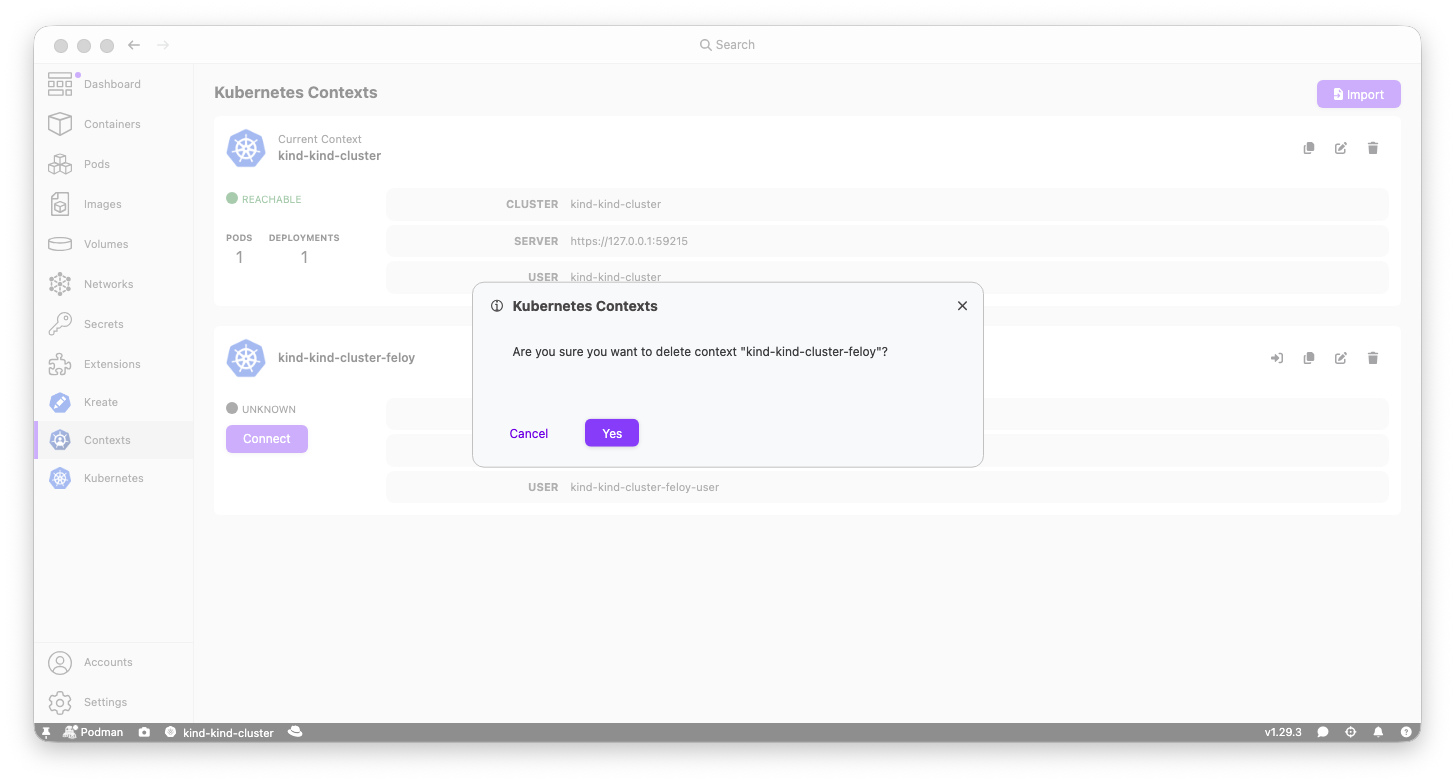
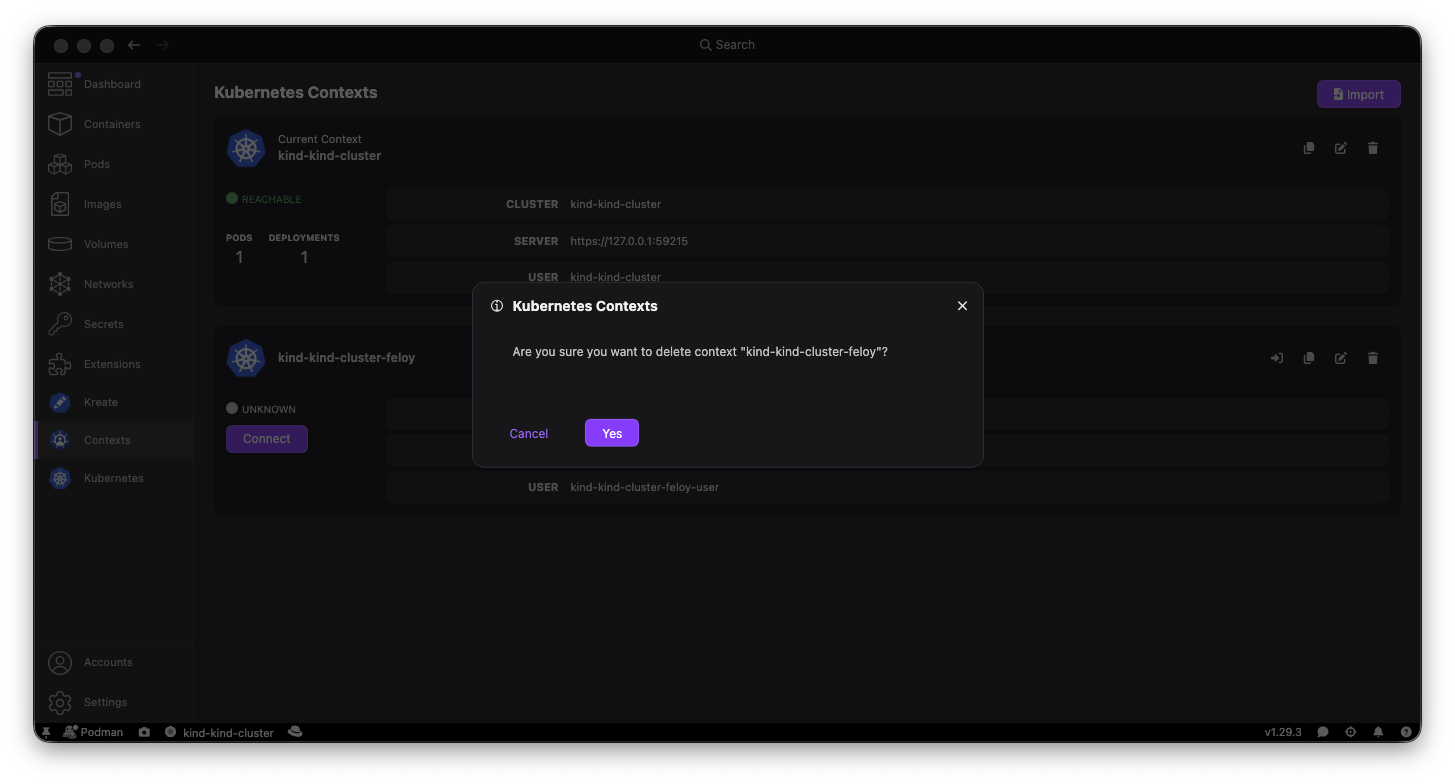
Confirmation is required for every delete, not only the current context. If you delete the context you are using, the dialog also warns that you will need to switch to another one.
Kreate
Kreate can create more kinds of resources,
including kinds that are not supported by the kubectl create command.
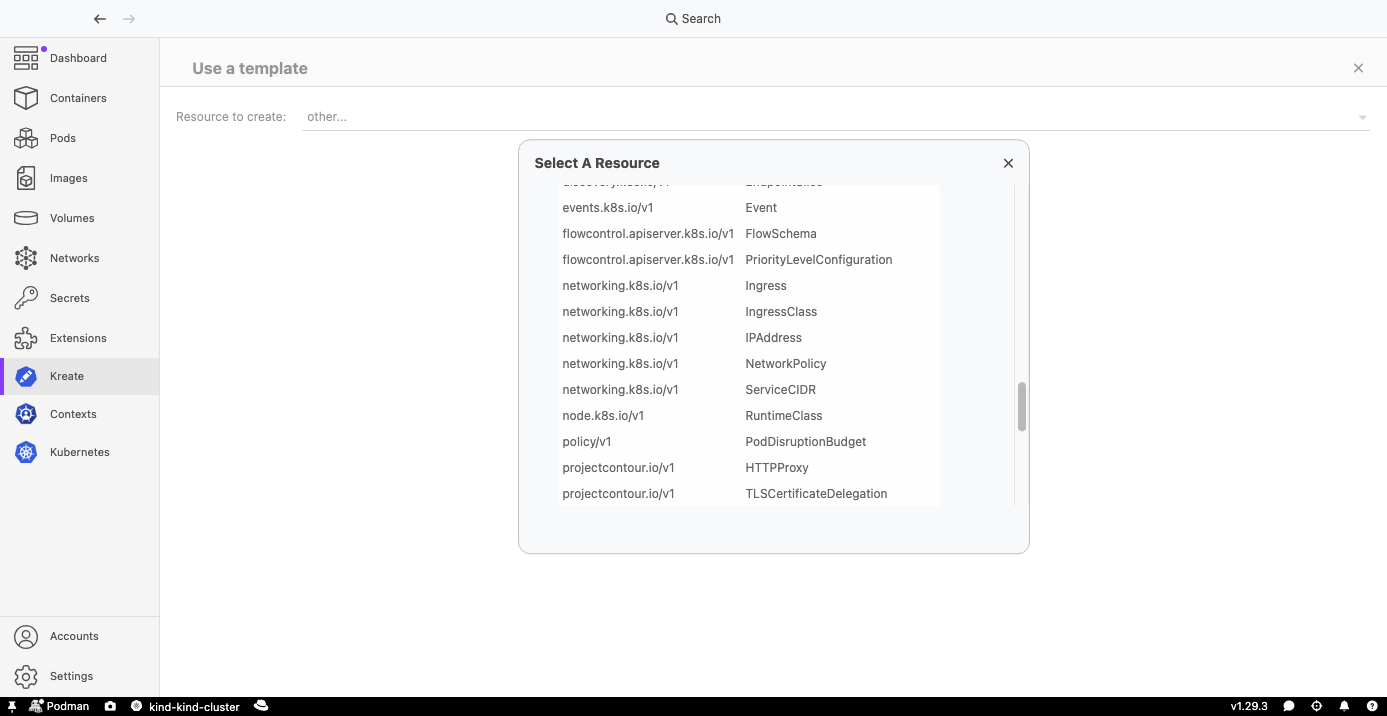
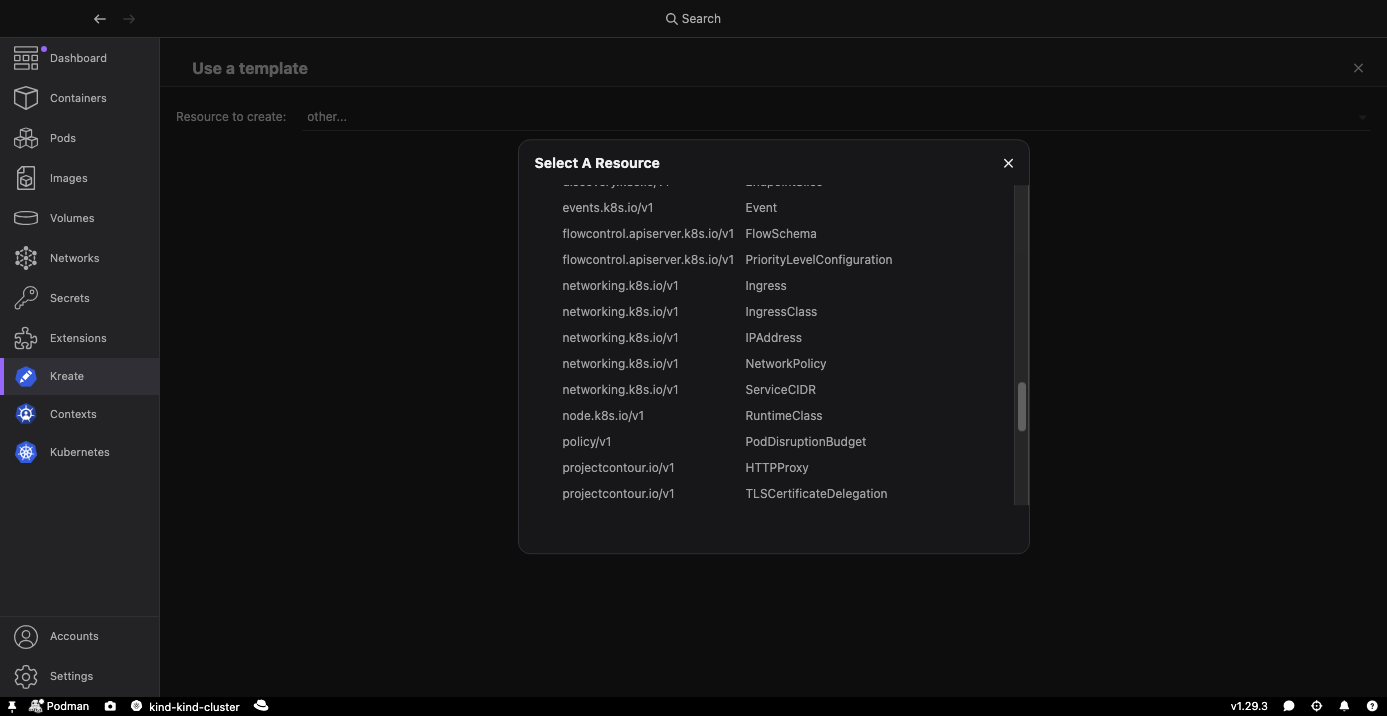
You can now also create a Namespace, Job, or CronJob, as with kubectl create.
You can also pick any other kind the cluster advertises through the Discovery API,
including custom resources such as those from an installed operator.
The YAML template will contain the apiVersion and kind fields,
and documentation will be provided for the resource fields from the cluster OpenAPI spec.
Community meeting
If you would like to discuss any of the new features, issues, or other topics, join us at the monthly community meeting on the fourth Thursday of each month. See the meeting details.
Final notes
The complete list of issues fixed in this release is available for Dashboard, Contexts and Kreate.