Hosting a custom extension catalog
Podman Desktop provides a built-in extension catalog where users can discover and install extensions. By default, Podman Desktop fetches its catalog from the official Podman Desktop Catalog repository.
You can configure Podman Desktop to fetch extensions from your own custom catalog. This is useful for:
- Enterprise environments: Distribute internal or proprietary extensions across an organization. Use managed configuration to set and lock the catalog URL for users.
- Air-gapped and restricted environments: Host extension metadata and assets on internal servers.
- Pre-release testing: Verify your extension's catalog entry, icons, README, and installation flow before publishing to the official catalog.
Setting a custom catalog replaces the default catalog endpoint in Podman Desktop. If you want official extensions to remain available alongside your custom extensions, copy the official catalog entries into your custom catalog file.
Prerequisites
- Your extension is built, packaged into an OCI container image, and pushed to an accessible OCI registry. See Packaging and publishing a Podman Desktop extension.
- An HTTP or HTTPS web server to host the catalog JSON file and static assets (icon, README, license).
- For local testing, Python 3 or any static HTTP server.
- Access to Podman Desktop's
settings.jsonfile. See the settings reference's configuration file locations for the path on your operating system.
:::warning Trust and Security Only configure catalog URLs from trusted sources. Catalog entries instruct Podman Desktop to download and execute container images on your machine. :::
Create the catalog file
-
Choose a base for your catalog:
-
To include official extensions: Download the official
extensions.jsonfile from the Podman Desktop catalog repository. -
To serve only your own extensions: Create a new JSON file with an empty
extensionsarray:{"extensions": []}
-
-
Add your extension object to the
extensionsarray. Follow the Catalog JSON example and field references below.This page uses the Podman Desktop minimal extension template. Build and push the template before adding its image to your catalog, and replace
your-usernamebelow with your registry namespace. -
Ensure asset files (
icon,README,LICENSE) are hosted and referenced by absolute HTTP or HTTPS URLs. Podman Desktop does not resolve relative asset paths against the catalog URL. -
When adding multiple versions, place the newest stable version first in the
versionsarray. Podman Desktop evaluates the first non-preview version as the current release. -
Save the file as
extensions.json.
Catalog JSON example and field references
The catalog file is a JSON document containing a top-level extensions array. Each entry describes an extension and its available versions:
{
  "extensions": [
    {
      "publisher": {
        "publisherName": "you",
        "displayName": "Your Name"
      },
      "extensionName": "helloworld",
      "displayName": "Hello World",
      "shortDescription": "Hello World extension",
      "categories": ["Developer Tools"],
      "keywords": ["hello-world"],
      "unlisted": false,
      "versions": [
        {
          "version": "0.0.1",
          "podmanDesktopVersion": ">=1.10.0",
          "preview": false,
          "lastUpdated": "2026-09-23T00:00:00Z",
          "ociUri": "quay.io/your-username/helloworld:0.0.1",
          "files": [
            {
              "assetType": "icon",
              "data": "https://raw.githubusercontent.com/podman-desktop/extension-template-minimal/main/icon.png"
            },
            {
              "assetType": "README",
              "data": "https://raw.githubusercontent.com/podman-desktop/extension-template-minimal/main/README.md"
            },
            {
              "assetType": "LICENSE",
              "data": "https://raw.githubusercontent.com/podman-desktop/extension-template-minimal/main/LICENSE"
            }
          ]
        }
      ]
    }
  ]
}
Top-level fields
| Field | Type | Required | Description |
|---|---|---|---|
extensions | array | Yes | Array of extension definition objects. |
Extension object fields
| Field | Type | Required | Description |
|---|---|---|---|
publisher | object | Yes | Publisher information object containing publisherName and displayName. |
publisher.publisherName | string | Yes | Unique identifier for the publisher (alphanumeric and dashes, e.g. "redhat", "mycompany"). Used to construct the unique extension ID: <publisherName>.<extensionName>. |
publisher.displayName | string | Yes | User-facing display name of the publisher (e.g. "Red Hat", "My Company"). |
extensionName | string | Yes | Unique identifier of the extension within the publisher namespace (for example, "helloworld"). |
displayName | string | Yes | User-facing title of the extension shown in the catalog card and details page. |
shortDescription | string | Yes | Brief summary displayed on the catalog card. |
categories | array of strings | Yes | Category names used for filtering in the catalog UI (e.g. ["Containers"], ["Kubernetes"], ["AI"]). |
keywords | array of strings | Yes | Search tags matching user queries in the catalog search bar. |
unlisted | boolean | No | If true, the extension is hidden from catalog listings but accessible if navigated to directly. Defaults to false. |
versions | array | Yes | Array of release versions. Must be ordered with the newest version first. |
Version object fields
| Field | Type | Required | Description |
|---|---|---|---|
version | string | Yes | Extension release version string following semantic versioning (e.g. "0.0.1"). |
podmanDesktopVersion | string | No | Semantic version range of compatible Podman Desktop releases (e.g. "^1.25.0" or ">= 1.20.0"). If specified, Podman Desktop skips this version if the running app version does not satisfy the range. |
ociUri | string | Yes | Complete OCI image or multi-platform manifest reference (e.g. "quay.io/your-username/helloworld:0.0.1"). |
preview | boolean | Yes | Set to true for pre-release versions. Preview versions remain in catalog data but are not displayed in the Catalog UI or selected for catalog installation or automatic updates. |
lastUpdated | string | Yes | ISO 8601 timestamp representing the release date (e.g. "2026-09-23T00:00:00Z"). |
files | array | Yes | Array of static asset files associated with this version. |
File object fields
| Field | Type | Required | Description |
|---|---|---|---|
assetType | string | Yes | Asset identifier. Allowed values: "icon", "README", "LICENSE". |
data | string | Yes | Absolute HTTP or HTTPS URL to the asset file. Relative paths are not supported. |
Test the catalog locally
You can test a custom catalog on your local machine using Python's built-in HTTP server:
-
Create a directory structure for your catalog and assets:
custom-catalog/├── extensions.json└── extensions/└── you/└── helloworld/└── 0.0.1/├── icon.png├── README.md└── LICENSE -
Start a local HTTP server from the
custom-catalogdirectory:$ cd custom-catalog$ python -m http.server 8080 -
Open Podman Desktop's
settings.jsonfile in an editor. See the settings reference for its location on your operating system. -
Add or update the
extensions.registryUrlproperty:{"extensions.registryUrl": "http://localhost:8080/extensions.json"}:::note Plain HTTP vs HTTPS Because
python -m http.serverserves plain HTTP, configurehttp://localhost:8080/...rather thanhttps://. ::: -
Save
settings.jsonand start or restart Podman Desktop. -
Open Extensions > Catalog. Your custom extensions appear in the list.
-
If you update the file while Podman Desktop is running, click the Refresh the catalog button in the Catalog view to reload the JSON immediately.
Host the catalog in production
For production or team-wide deployment, host your catalog file and static assets using any static hosting service or internal web server accessible to your users.
- Use HTTPS for production catalogs. Plain HTTP works for local testing, but is not recommended for production.
- Ensure that users' workstations can reach both the catalog URL and the OCI image registry.
Manage releases and updates
Podman Desktop contains an automated extension updater that checks for newer versions of installed extensions:
-
Update checks: Podman Desktop checks for extension updates at application startup and every 12 hours when either
extensions.autoCheckUpdatesorextensions.autoUpdateis enabled. Both settings default totrue; checks are skipped when both are disabled. Catalog data is cached for four hours, after which Podman Desktop attempts to fetch it again and falls back to cached data if the fetch fails. Use Refresh the catalog in the Catalog view to force a fetch. -
Version selection: For each installed extension, Podman Desktop finds the matching extension in the catalog and inspects the first compatible non-preview version in
versions. -
SemVer comparison: If the catalog version is higher than the currently installed version (evaluated with semantic versioning), Podman Desktop updates the extension automatically when
extensions.autoUpdateis enabled. Ifextensions.autoCheckUpdatesis enabled and automatic updates are disabled, the extension is marked as updatable in the Extensions list. -
Retain previous versions: When publishing a new release, keep older releases in the
versionsarray and prepend the new release to the top:"versions": [{ "version": "0.0.2", ... },{ "version": "0.0.1", ... }]Keeping previous versions in the catalog lets users on older Podman Desktop releases fall back to a compatible version when newer entries require a newer
podmanDesktopVersion.
Common configurations
Minimal catalog
A minimal, fully functional custom catalog hosting one extension:
{
  "extensions": [
    {
      "publisher": {
        "publisherName": "you",
        "displayName": "Your Name"
      },
      "extensionName": "helloworld",
      "displayName": "Hello World",
      "shortDescription": "Hello World extension",
      "categories": ["Developer Tools"],
      "keywords": ["hello-world"],
      "versions": [
        {
          "version": "0.0.1",
          "preview": false,
          "lastUpdated": "2026-09-23T00:00:00Z",
          "ociUri": "quay.io/your-username/helloworld:0.0.1",
          "files": [
            {
              "assetType": "icon",
              "data": "https://raw.githubusercontent.com/podman-desktop/extension-template-minimal/main/icon.png"
            },
            {
              "assetType": "README",
              "data": "https://raw.githubusercontent.com/podman-desktop/extension-template-minimal/main/README.md"
            },
            {
              "assetType": "LICENSE",
              "data": "https://raw.githubusercontent.com/podman-desktop/extension-template-minimal/main/LICENSE"
            }
          ]
        }
      ]
    }
  ]
}
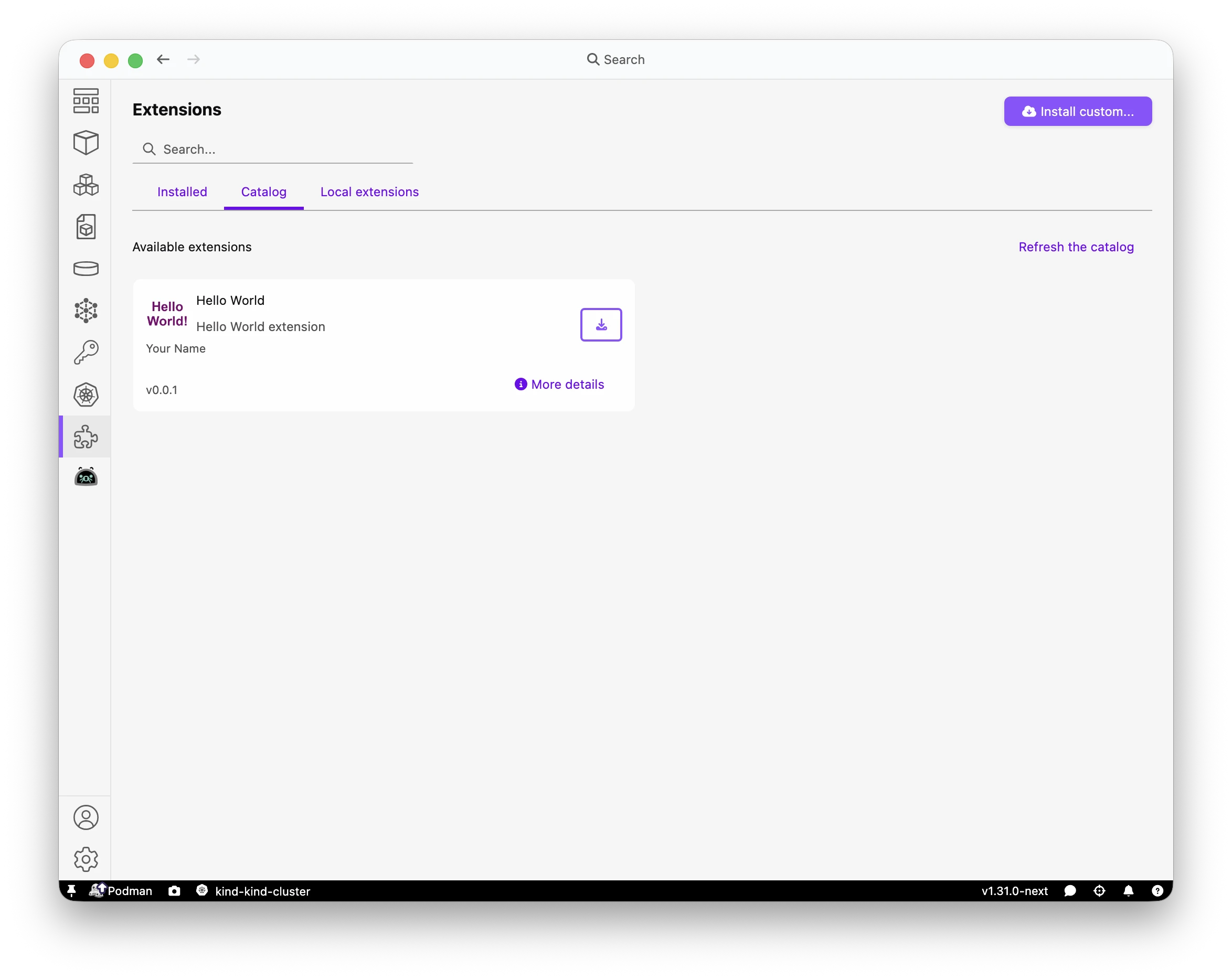
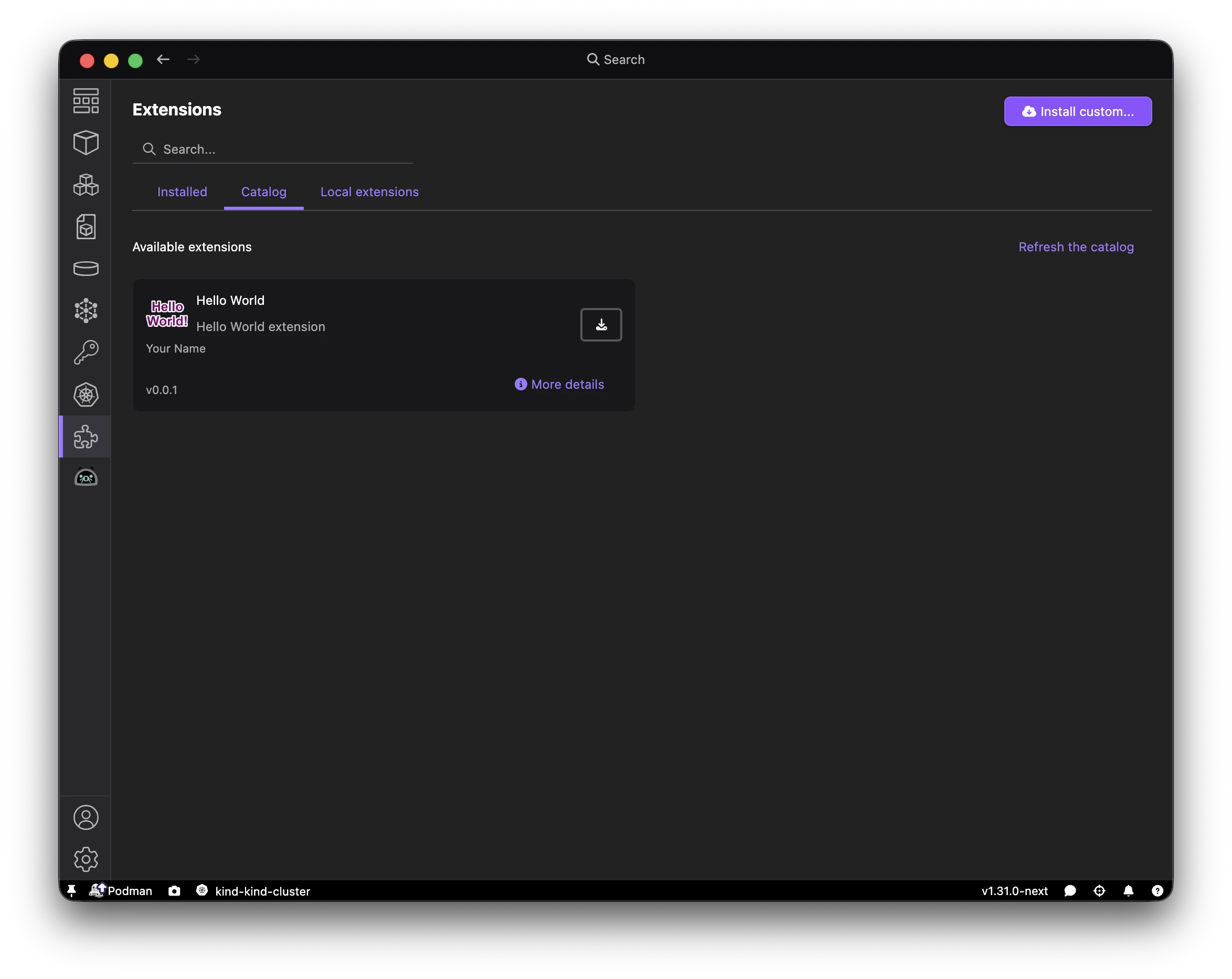
With a custom catalog containing the minimal template extension, the Catalog view shows the Hello World extension and version 0.0.1:
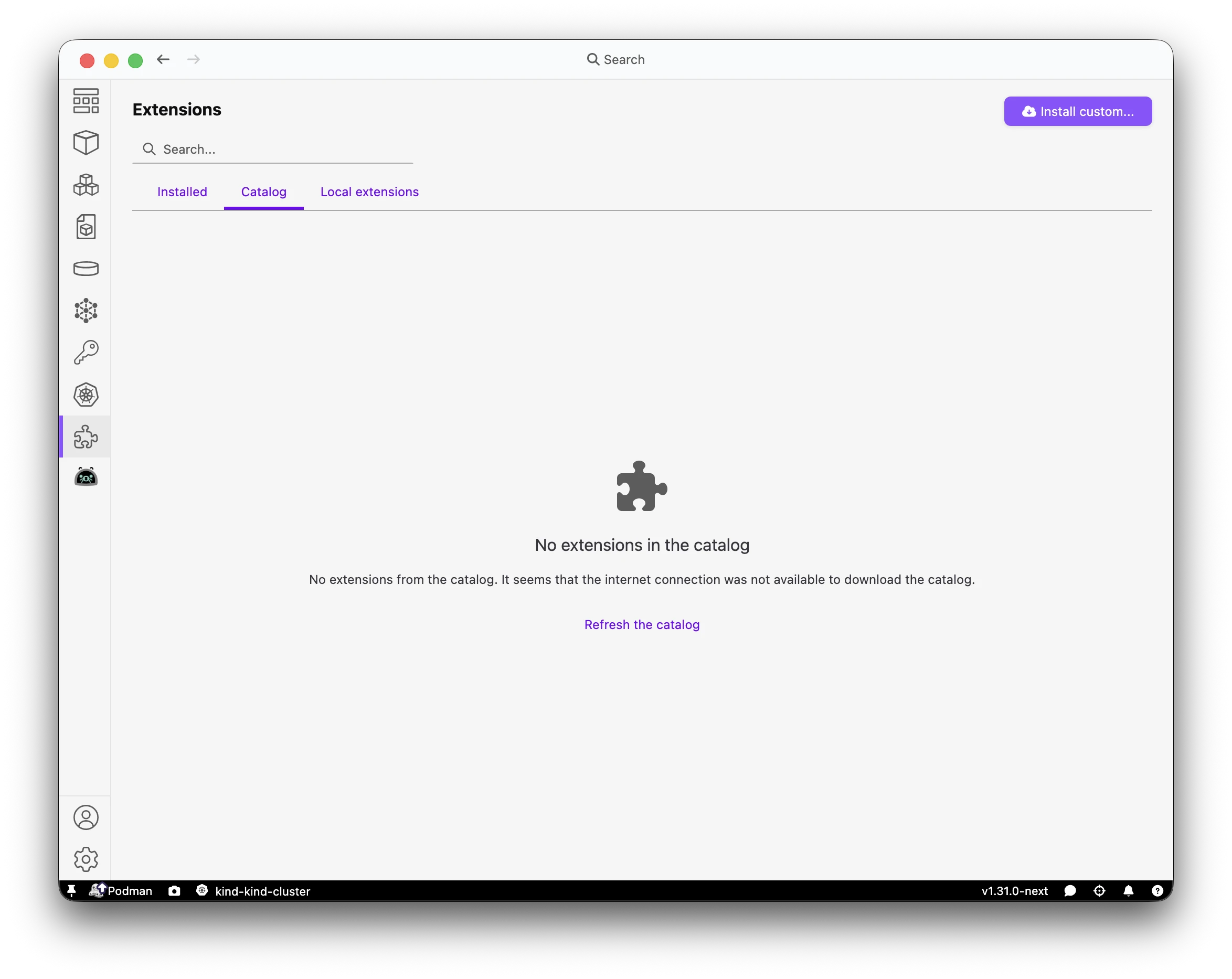
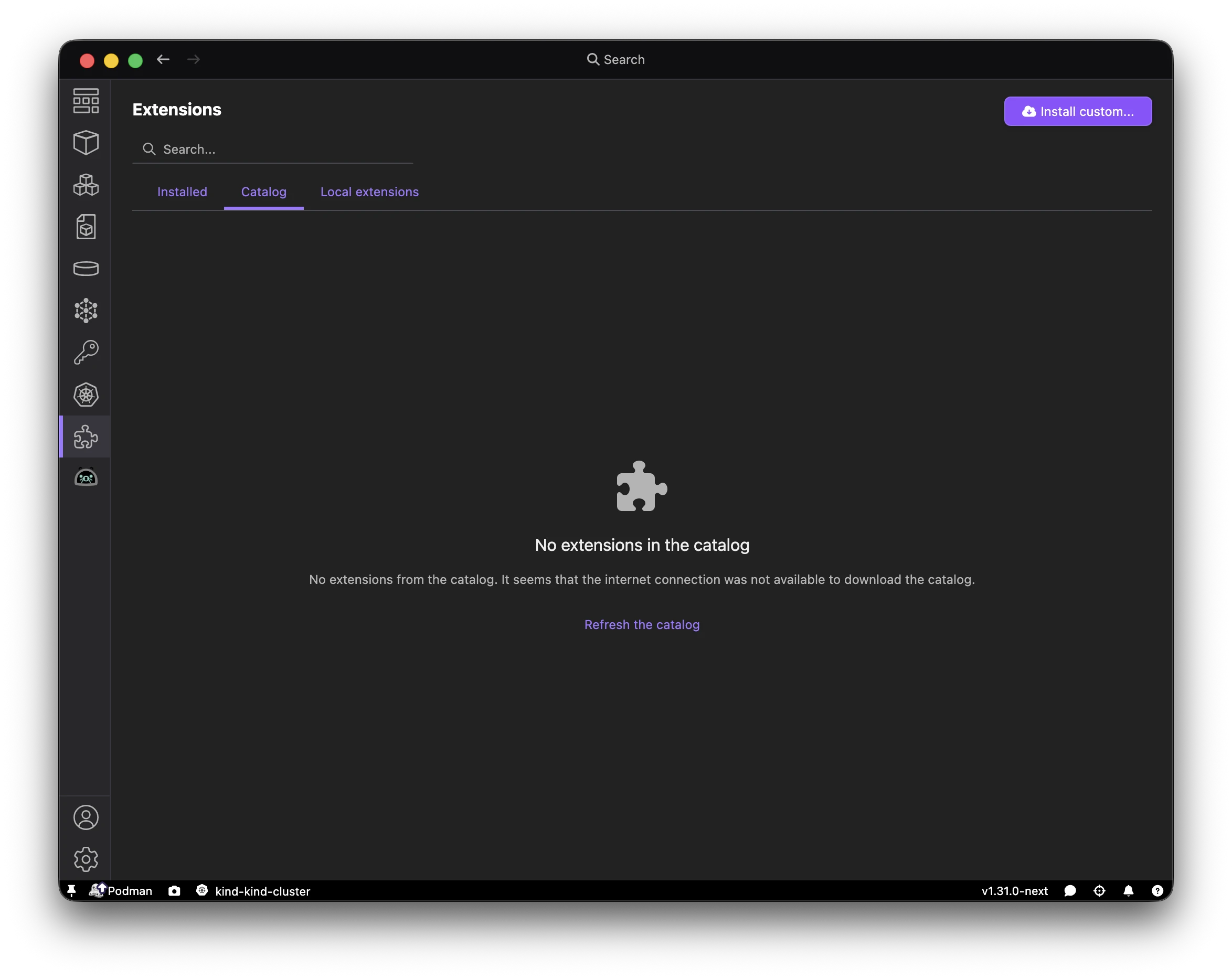
If the catalog contains an empty extensions array, Podman Desktop shows an empty catalog:
Local asset URLs
In extensions.json, reference local assets using the HTTP server URL:
"files": [
  {
    "assetType": "icon",
    "data": "http://localhost:8080/extensions/you/helloworld/0.0.1/icon.png"
  },
  {
    "assetType": "README",
    "data": "http://localhost:8080/extensions/you/helloworld/0.0.1/README.md"
  },
  {
    "assetType": "LICENSE",
    "data": "http://localhost:8080/extensions/you/helloworld/0.0.1/LICENSE"
  }
]
Multiple versions and automatic updates
To support automatic updates, place the newest release first. Keep older releases in the versions array so older Podman Desktop releases can fall back to a compatible version when newer entries require a newer podmanDesktopVersion:
"versions": [
  {
    "version": "0.0.3",
    "preview": false,
    "lastUpdated": "2026-09-23T00:00:00Z",
    "ociUri": "quay.io/your-username/helloworld:0.0.3",
    "files": [
      {
        "assetType": "icon",
        "data": "https://raw.githubusercontent.com/podman-desktop/extension-template-minimal/main/icon.png"
      },
      {
        "assetType": "README",
        "data": "https://raw.githubusercontent.com/podman-desktop/extension-template-minimal/main/README.md"
      },
      {
        "assetType": "LICENSE",
        "data": "https://raw.githubusercontent.com/podman-desktop/extension-template-minimal/main/LICENSE"
      }
    ]
  },
  {
    "version": "0.0.2",
    "preview": false,
    "lastUpdated": "2026-08-15T00:00:00Z",
    "ociUri": "quay.io/your-username/helloworld:0.0.2",
    "files": [
      {
        "assetType": "icon",
        "data": "https://raw.githubusercontent.com/podman-desktop/extension-template-minimal/main/icon.png"
      },
      {
        "assetType": "README",
        "data": "https://raw.githubusercontent.com/podman-desktop/extension-template-minimal/main/README.md"
      },
      {
        "assetType": "LICENSE",
        "data": "https://raw.githubusercontent.com/podman-desktop/extension-template-minimal/main/LICENSE"
      }
    ]
  },
  {
    "version": "0.0.1",
    "preview": false,
    "lastUpdated": "2026-07-01T00:00:00Z",
    "ociUri": "quay.io/your-username/helloworld:0.0.1",
    "files": [
      {
        "assetType": "icon",
        "data": "https://raw.githubusercontent.com/podman-desktop/extension-template-minimal/main/icon.png"
      },
      {
        "assetType": "README",
        "data": "https://raw.githubusercontent.com/podman-desktop/extension-template-minimal/main/README.md"
      },
      {
        "assetType": "LICENSE",
        "data": "https://raw.githubusercontent.com/podman-desktop/extension-template-minimal/main/LICENSE"
      }
    ]
  }
]
When users with version 0.0.1 or 0.0.2 installed run Podman Desktop, the application detects 0.0.3 as the newest release and offers an update.
Podman Desktop version compatibility
Use podmanDesktopVersion to filter versions shown in the Catalog view and considered for automatic updates:
"versions": [
  {
    "version": "0.1.0",
    "podmanDesktopVersion": "^1.25.0",
    "preview": false,
    "lastUpdated": "2026-09-23T00:00:00Z",
    "ociUri": "quay.io/your-username/helloworld:0.1.0",
    "files": [
      {
        "assetType": "icon",
        "data": "https://raw.githubusercontent.com/podman-desktop/extension-template-minimal/main/icon.png"
      },
      {
        "assetType": "README",
        "data": "https://raw.githubusercontent.com/podman-desktop/extension-template-minimal/main/README.md"
      },
      {
        "assetType": "LICENSE",
        "data": "https://raw.githubusercontent.com/podman-desktop/extension-template-minimal/main/LICENSE"
      }
    ]
  },
  {
    "version": "0.0.2",
    "podmanDesktopVersion": "^1.20.0",
    "preview": false,
    "lastUpdated": "2026-07-15T00:00:00Z",
    "ociUri": "quay.io/your-username/helloworld:0.0.2",
    "files": [
      {
        "assetType": "icon",
        "data": "https://raw.githubusercontent.com/podman-desktop/extension-template-minimal/main/icon.png"
      },
      {
        "assetType": "README",
        "data": "https://raw.githubusercontent.com/podman-desktop/extension-template-minimal/main/README.md"
      },
      {
        "assetType": "LICENSE",
        "data": "https://raw.githubusercontent.com/podman-desktop/extension-template-minimal/main/LICENSE"
      }
    ]
  }
]
In the Catalog view and automatic update checks, Podman Desktop 1.22.0 skips 0.1.0 (which requires ^1.25.0) and selects 0.0.2 as the compatible release.
Preview release
Pre-release builds marked with "preview": true remain in the catalog data, but Podman Desktop does not display or select them in the Catalog UI, install them through the catalog, or use them for automatic updates. To test a preview image, install it directly using Install custom….
"versions": [
  {
    "version": "0.1.0-beta.1",
    "podmanDesktopVersion": "^1.25.0",
    "preview": true,
    "lastUpdated": "2026-09-23T00:00:00Z",
    "ociUri": "quay.io/your-username/helloworld:0.1.0-beta.1",
    "files": [
      {
        "assetType": "icon",
        "data": "https://raw.githubusercontent.com/podman-desktop/extension-template-minimal/main/icon.png"
      },
      {
        "assetType": "README",
        "data": "https://raw.githubusercontent.com/podman-desktop/extension-template-minimal/main/README.md"
      },
      {
        "assetType": "LICENSE",
        "data": "https://raw.githubusercontent.com/podman-desktop/extension-template-minimal/main/LICENSE"
      }
    ]
  },
  {
    "version": "0.0.2",
    "podmanDesktopVersion": "^1.20.0",
    "preview": false,
    "lastUpdated": "2026-08-15T00:00:00Z",
    "ociUri": "quay.io/your-username/helloworld:0.0.2",
    "files": [
      {
        "assetType": "icon",
        "data": "https://raw.githubusercontent.com/podman-desktop/extension-template-minimal/main/icon.png"
      },
      {
        "assetType": "README",
        "data": "https://raw.githubusercontent.com/podman-desktop/extension-template-minimal/main/README.md"
      },
      {
        "assetType": "LICENSE",
        "data": "https://raw.githubusercontent.com/podman-desktop/extension-template-minimal/main/LICENSE"
      }
    ]
  }
]
Restore the official catalog
To switch back to the official Podman Desktop catalog, update extensions.registryUrl in settings.json to the default endpoint:
{
  "extensions.registryUrl": "https://registry.podman-desktop.io/api/extensions.json"
}
Or remove the "extensions.registryUrl" line entirely from settings.json.